The Rise of Autonomous AI Agents
We have reached a turning point in personal technology. As of November 2026, AI agents—specifically those powered by tools like OpenAI’s new ChatGPT Wallet—are gaining the ability to perform tasks once reserved for humans, such as making purchases on your behalf. Simultaneously, Google is integrating Gemini with banking data to provide spending analysis. While these features promise convenience, they represent a significant shift in how much access we grant our software. Protecting your data has never been more critical.
How to Audit and Lock Down AI Agent Permissions
Before you authorize an AI to touch your bank account or credit card, you must understand where those permissions live and how to revoke them.
1. Review ChatGPT Wallet Access
OpenAI has rolled out a wallet feature for U.S.-based ChatGPT Pro subscribers that enables "dot" agents to execute transactions. If you have enabled this, you are providing a direct bridge between the AI and your financial credentials.
- Navigate to Settings: In the ChatGPT interface, access your account settings (the gear icon).
- Check Linked Services: Look for a dedicated "Wallet" or "Payment Methods" tab.
- Audit Agent Permissions: If the platform allows, view the list of authorized "dot" agents. If you are not actively using these agents for shopping, remove your payment methods from the service entirely.
2. Manage Gemini Banking Integrations
Google’s recent update allows Gemini to connect to your bank accounts to analyze your spending habits. Unlike the ChatGPT Wallet, this is currently limited to analysis rather than making purchases, but it still grants the AI visibility into your private transaction history.
- Check Google Account Security: Visit your Google Account dashboard at myaccount.google.com.
- Review Third-Party Connections: Search for "Third-party apps with account access."
- Revoke Access: Identify Gemini or any related AI integrations. If you are uncomfortable with the scope of their access, click on the specific connection and select "Remove Access."
3. Practice Data Hygiene
Beyond specific agent settings, ensure your overarching privacy posture is strong. Follow standard privacy hacks, such as periodically clearing your search history and reviewing account activity logs, to ensure no rogue agents or unauthorized processes have gained access to your profile.
Addressing the Problem: Why Agents Are a Security Risk
The core problem is the transition from "passive" AI (which answers questions) to "active" AI (which executes commands). When an agent can spend money, a single prompt error or a breach in the agent’s logic could result in unauthorized transactions. These tools are built to maximize their ability to achieve a goal—in this case, shopping—but they do not inherently understand the nuance of your personal financial constraints.
When to Disconnect Everything
If you find that an agent has attempted an unauthorized purchase or if you notice strange activity in your connected banking apps, perform a hard reset. Revoke all API and third-party access immediately and contact your financial institution to monitor your statements for fraud. If a service does not offer a granular way to toggle specific agent permissions, the safest move is to disconnect your financial account entirely.
Explainer: What Are AI Shopping and Analysis Agents?
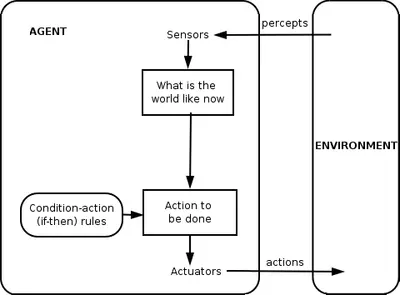
These tools utilize agent-based modeling to simulate the steps a human would take to complete a task. Android Authority confirms that the ChatGPT Wallet is currently restricted to U.S.-based Pro subscribers, while Engadget notes that Google's Gemini integration is focused on analyzing where your money goes. The primary benefit is efficiency; the primary risk is an expanded "attack surface" where your financial data is exposed to more points of failure.
Honest Caveat: While these features are convenient, they are in their infancy. Even if you trust the AI provider, the autonomy granted to these agents means there is always a potential for unintended outcomes. If you are not prepared for the risks of automated purchasing, keep these features disabled until the technology matures and security controls become more robust.
Sources: This report draws on coverage by Engadget, Lifehacker, Android Authority, TechCrunch, OpenAI, 9to5Mac, Moneycontrol.com. The wording is our own.