Why Your Smart Home Keeps Going Offline
If your lights randomly fail to respond or your smart locks report as "offline" despite your internet appearing fine, you are likely suffering from wireless congestion. The demand for stable smart home setups is higher than ever, evidenced by the 1.3M views on "Ultimate Guide to Starting and Growing a Smart Home!" where creators emphasize the importance of network stability. When too many devices fight for airtime on the same Wi-Fi frequency, your hub—the brain of your ecosystem—is often the first to lose its footing.
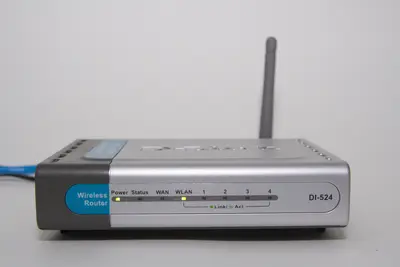
The issue often stems from network topology. Wi-Fi is a shared medium; every camera, phone, and tablet competes for bandwidth. By offloading your hub's connection to a wired Ethernet cable, you move your most critical traffic off the congested airwaves and onto a dedicated, stable lane.
The Legacy Hardware Fix: Ethernet Bridging
You do not need to buy expensive networking equipment to stabilize your system. Recent reports suggest that even dusty, legacy hardware can serve as a bridge to your router. One effective method involves using an old Apple TV or similar streaming device that features an Ethernet port. By connecting this device directly to your router via Ethernet, you create a stable node that can anchor your network environment.

- Assess your router: Before adding new devices, audit your current setup. Mapping your local network can reveal hidden Wi-Fi interference you didn't know you had.
- Bridge the gap: Take an older device with a physical Ethernet port—such as a first-generation Apple TV—and connect it to your router using a high-quality Cat6 cable.
- Centralize the hub: Ensure your smart home hub is placed in a central, open location. If your hub is currently communicating over Wi-Fi, check your home automation app settings to see if it can be prioritized or migrated to a wired backhaul.
- Refine presence automations: Beyond hardware, software tweaks matter. Android Police recently highlighted that changing simple location preferences within Google Home can make presence-based automations significantly more reliable.
When Ethernet Isn't a Silver Bullet
While moving to a wired connection is the gold standard for stability, it is not a cure-all. You must be aware of hardware limitations. As noted by XDA, some devices—even those with physical Ethernet ports—may actually perform slower over a wired connection than they do on a modern Wi-Fi standard because of internal controller bottlenecks. Always verify that your port is gigabit-capable if you are streaming high-bandwidth data.
Furthermore, avoid the trap of spending money when you don't have to. If you are experiencing connectivity issues, try rearranging your existing devices or tweaking settings in your current router app before shelling out for new hardware. For those who do need an upgrade, independent reviews from 2026 can help identify the best routers if your current hardware is simply too outdated to handle your device count.

Who Benefits Most?
This approach is ideal for power users with more than 20 connected devices, or those living in multi-story homes where walls and floors interfere with signals. If you find yourself frequently power-cycling your hub, the transition to an Ethernet-based topology will likely solve your issues. However, if your router is already failing to provide basic internet coverage, or if your service provider is the source of the dropouts, cabling your hub will only solve the internal communication aspect. In those cases, focus on optimizing your internet source first—such as checking specific settings in your Starlink app if you are a satellite user—before attempting to bridge your internal network.
By prioritizing your smart home traffic via a wired connection, you essentially clear the digital traffic jam, ensuring that your automations fire exactly when they are supposed to, regardless of how many devices are streaming video in the next room.
Sources: This report draws on coverage by How-To Geek, Engadget, The New York Times, Android Police, BGR, Android Authority, RTINGS.com, Consumer Reports. The wording is our own.